Dashboard
The Dashboard is the first screen you see after logging in: an immediate overview of the markets you care about, with the main indices, futures, and ETFs always in view.
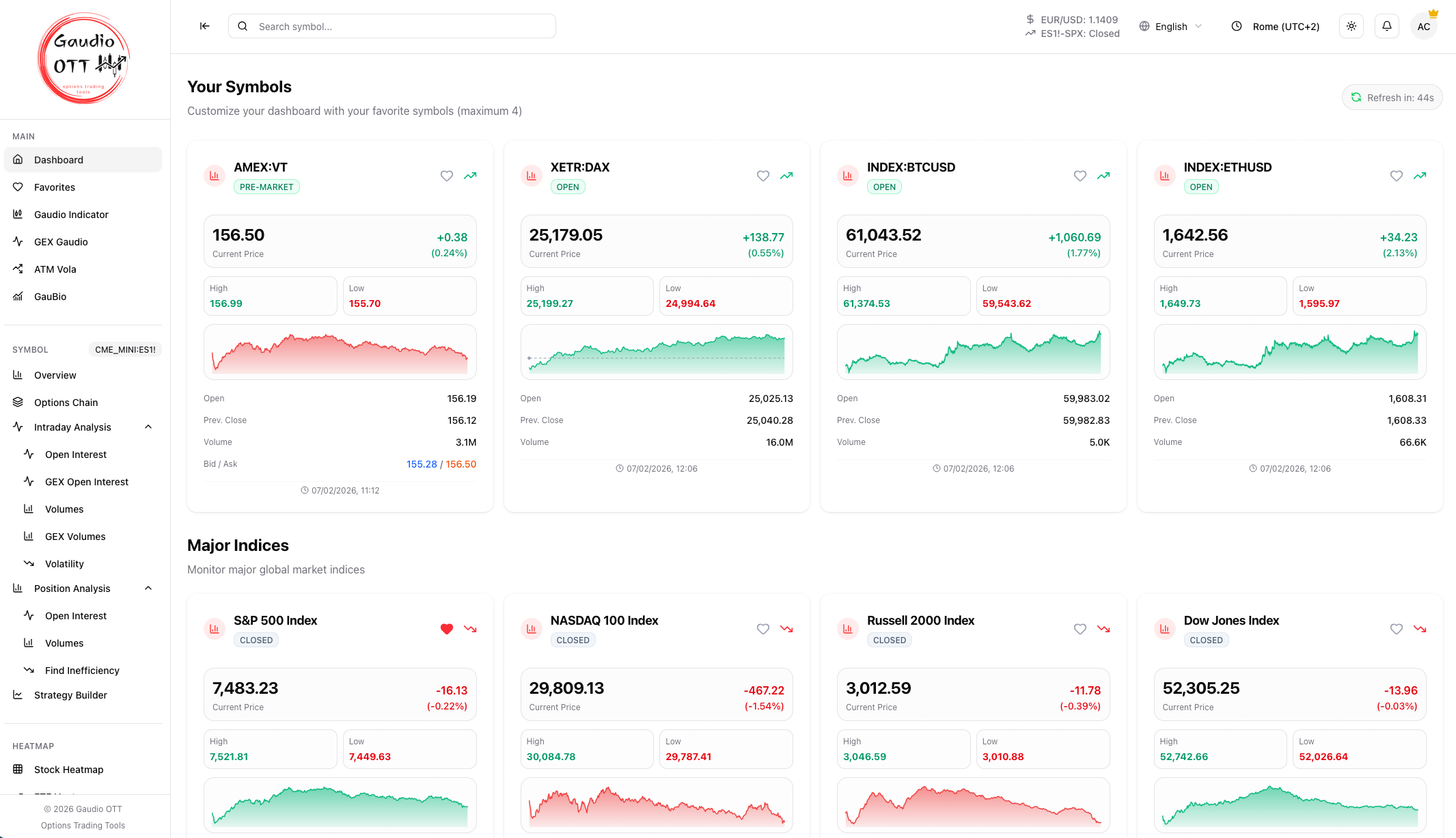
The Dashboard: your customizable cards on top, main indices, futures, and ETFs below.
Dashboard sections
Section titled “Dashboard sections”- Your Symbols — on top, the customizable cards with the instruments you choose.
- Main indices — the big market indices (S&P 500, Nasdaq 100, Dow Jones, Russell 2000…).
- Futures — the most followed futures (ES, NQ, RTY, VX…).
- ETF — the main ETFs (SPY, QQQ, DIA…).
Instrument cards
Section titled “Instrument cards”Each card shows the current price, the daily change, the session high and low, and a mini chart of the recent trend.
- The heart icon adds or removes the instrument from your favorites.
- Clicking the card opens the Symbol overview of that instrument.
How to use it
Section titled “How to use it”Use the Dashboard as the starting point of every session: take a quick read of the overall market, then open the detail of a single instrument from its card.
Related pages
Section titled “Related pages”Ready to use Gaudio OTT?
Section titled “Ready to use Gaudio OTT?”Open your free account and put what you just read into practice.