Customizable cards
At the top of the Dashboard, the “Your Symbols” section hosts the customizable cards: the instruments you choose, front and center every time you open the app.
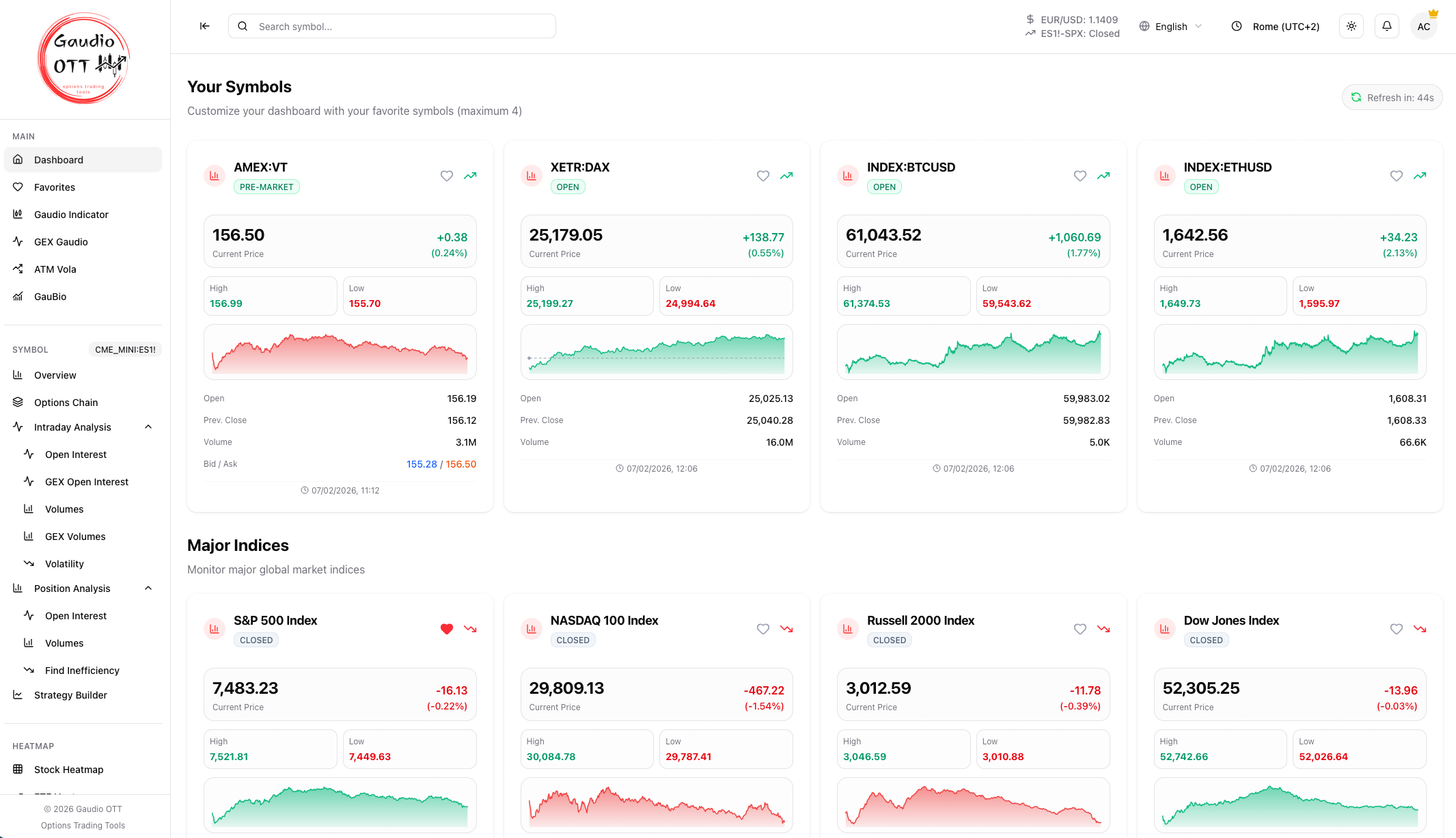
The customizable cards in the “Your Symbols” section, at the top of the Dashboard.
How they work
Section titled “How they work”You can set up to 4 cards with the instruments you prefer, so the markets you follow most are under control as soon as you open the app.
Each card shows price, change, high/low, and a mini chart, exactly like the other dashboard cards.
To configure them:
- Click an empty slot.
- Search and select the symbol you want.
- Repeat for the other slots.
You can remove a symbol from a card at any time with the ✕ button on the card.
Availability
Section titled “Availability”Customizable cards are included in the Premium and Ultra plans. You find the full plan comparison on the Plans page.
Related pages
Section titled “Related pages”Ready to use Gaudio OTT?
Section titled “Ready to use Gaudio OTT?”Open your free account and put what you just read into practice.